

这个不是我的代码我也看不懂,所以想问问大家怎么解决?我在想是不是跟默认插槽有关 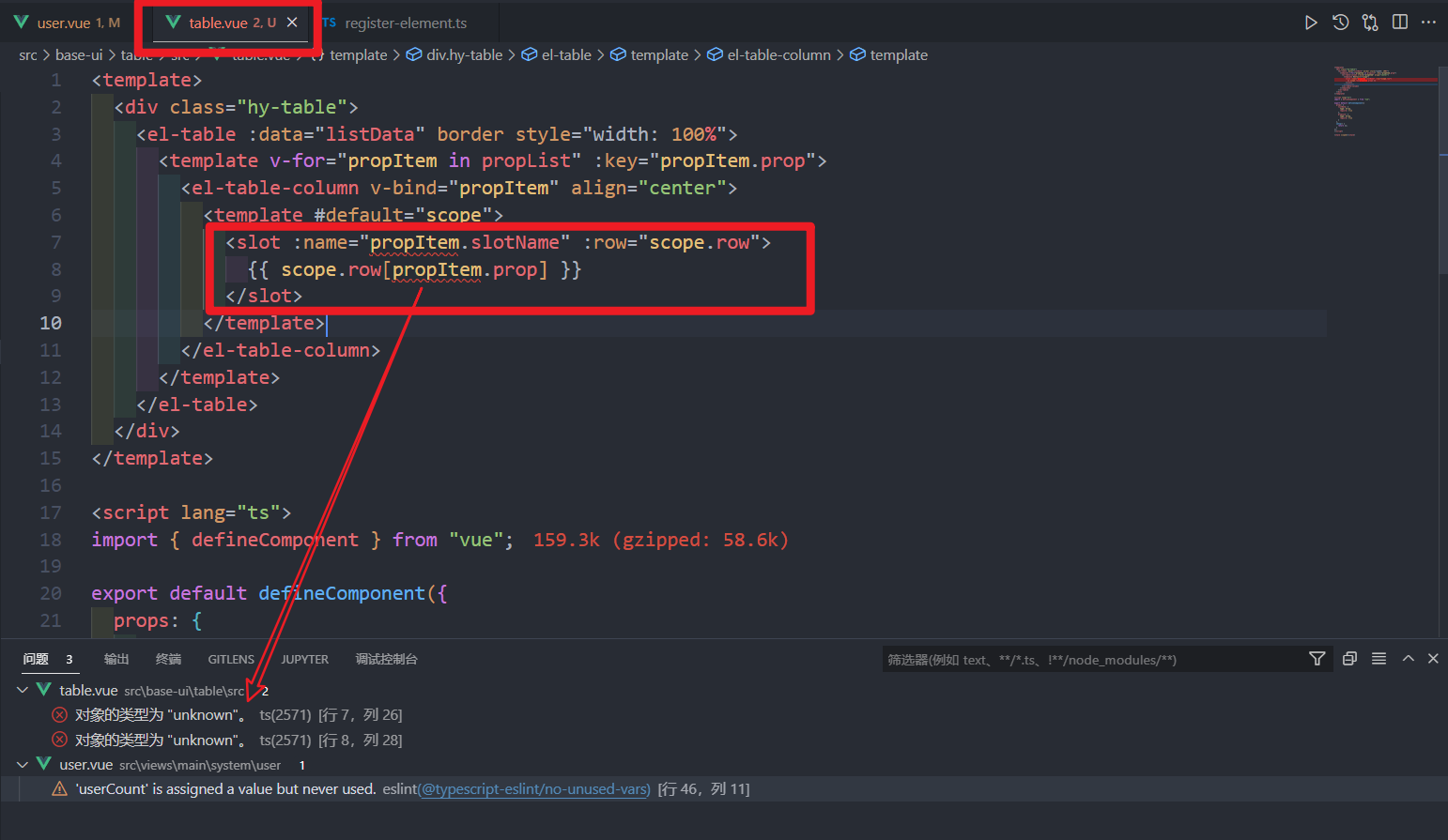 下方会放父组件和子组件的代码:
父组件:
<template> <div class="user"> <page-search :searchFormCOnfig="searchFormConfig" /> <div class="content"> <hy-table :listData="userList" :propList="propList"> <template #status="scope"> <el-button>{{ scope.row.enable ? "启用" : "禁用" }}</el-button> </template> <template #createAt="scope"> <strong>{{ scope.row.createAt }}</strong> </template> </hy-table> </div> </div> </template> <script lang="ts"> import { defineComponent, computed } from "vue"; //引入搜索模板 import PageSearch from "@/components/page-search"; //引入 user 组件的数据和配置 import { searchFormConfig } from "./config/search.config"; import { useStore } from "@/store"; import hyTable from "@/base-ui/table"; export default defineComponent({ name: "user", components: { PageSearch, hyTable }, setup() { const userList = computed(() => store.state.system.userList); const userCount = computed(() => store.state.system.userCount); const propList = [ { prop: "name", label: "用户名", minWidth: "100" }, { prop: "realname", label: "真实姓名", minWidth: "100" }, { prop: "cellphone", label: "电话号码", minWidth: "100" }, { prop: "enable", label: "状态", minWidth: "100", slotName: "enable" }, { prop: "createAt", label: "创建时间", minWidth: "250", slotName: "createAt" }, { prop: "updateAt", label: "更新时间", minWidth: "250", slotName: "updateAt" } ]; return { searchFormConfig, userList, propList }; } }); </script> <style scoped> .content { padding: 20px; border-top: 20px solid #f5f5f5; } </style> 子组件
<template> <div class="hy-table"> <el-table :data="listData" border style="width: 100%"> <template v-for="propItem in propList" :key="propItem.prop"> <el-table-column v-bind="propItem" align="center"> <template #default="scope"> <slot :name="propItem.slotName" :row="scope.row"> {{ scope.row[propItem.prop] }} </slot> </template> </el-table-column> </template> </el-table> </div> </template> <script lang="ts"> import { defineComponent } from "vue"; export default defineComponent({ props: { listData: { type: Array, require: true }, propList: { type: Array, require: true } }, setup() { return {}; } }); </script> <style scoped></style> 


 Select Language