Google feedback 的效果 DOM 元素选中是如何实现的? - V2EX
safilar

Google feedback 的效果 DOM 元素选中是如何实现的?

  •  
  •   safilar Aug 21, 2017 3445 views
    This topic created in 3191 days ago, the information mentioned may be changed or developed.

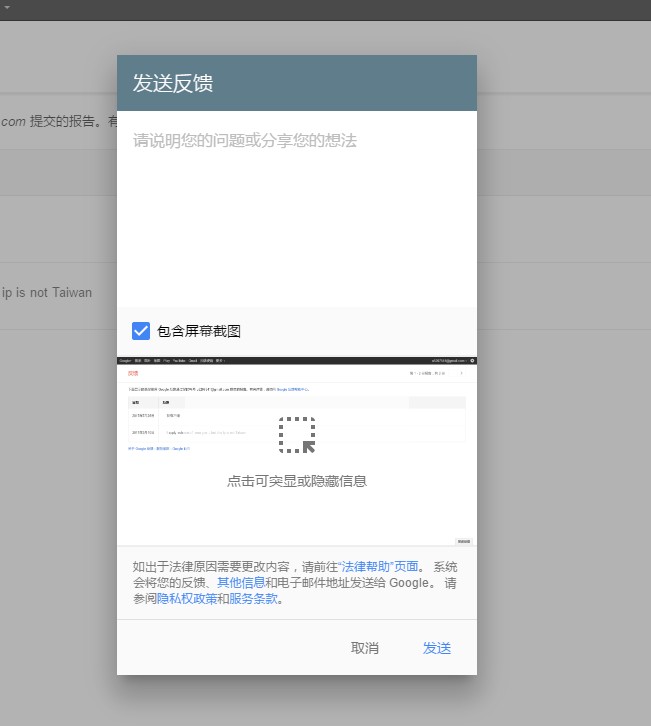
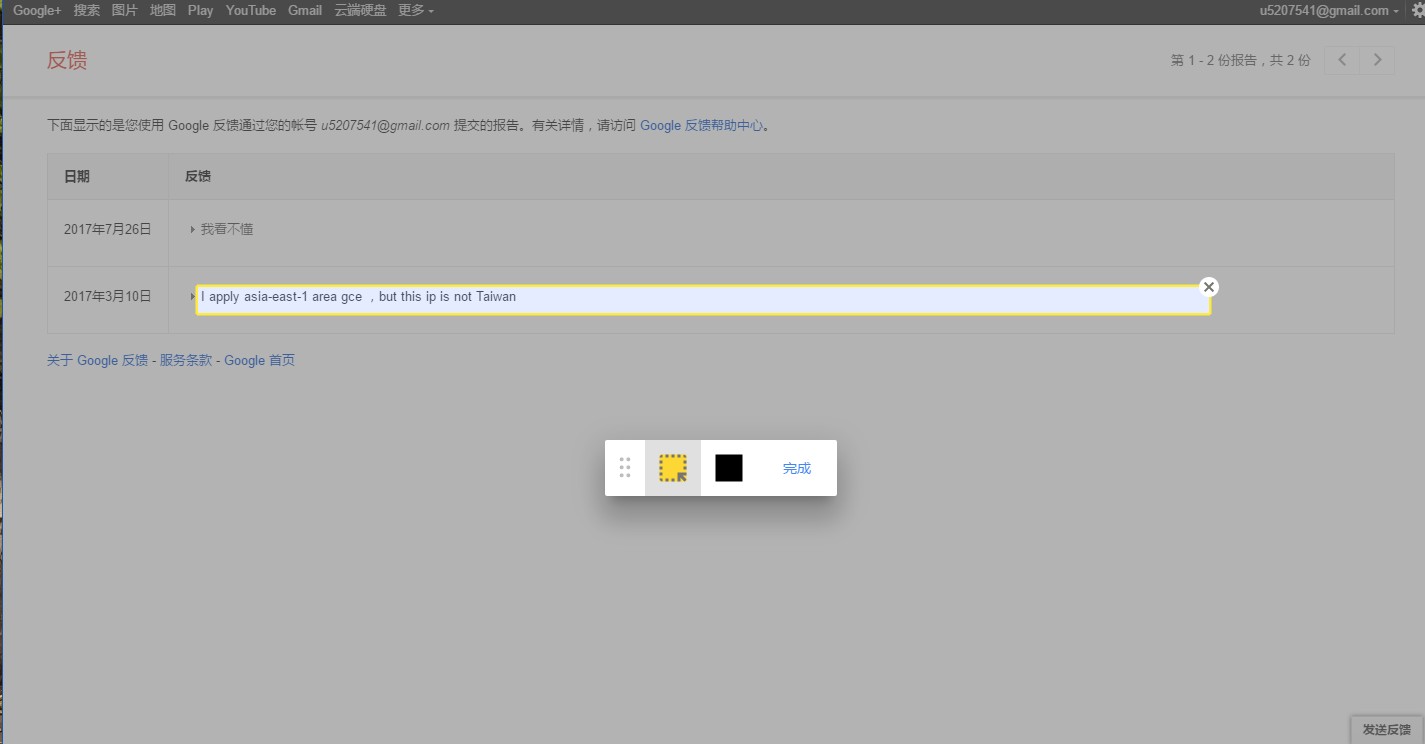
    具体见效果图,里面最后那个选择 DOM 的实现

    有没有 V 友有过相关的实现思路。

    图片路径

    具体链接

    https://www.google.com/tools/feedback/reports

    Supplement 1    Aug 21, 2017

    GIF 不清楚,我更新下图片,添加下步骤

    点击投诉
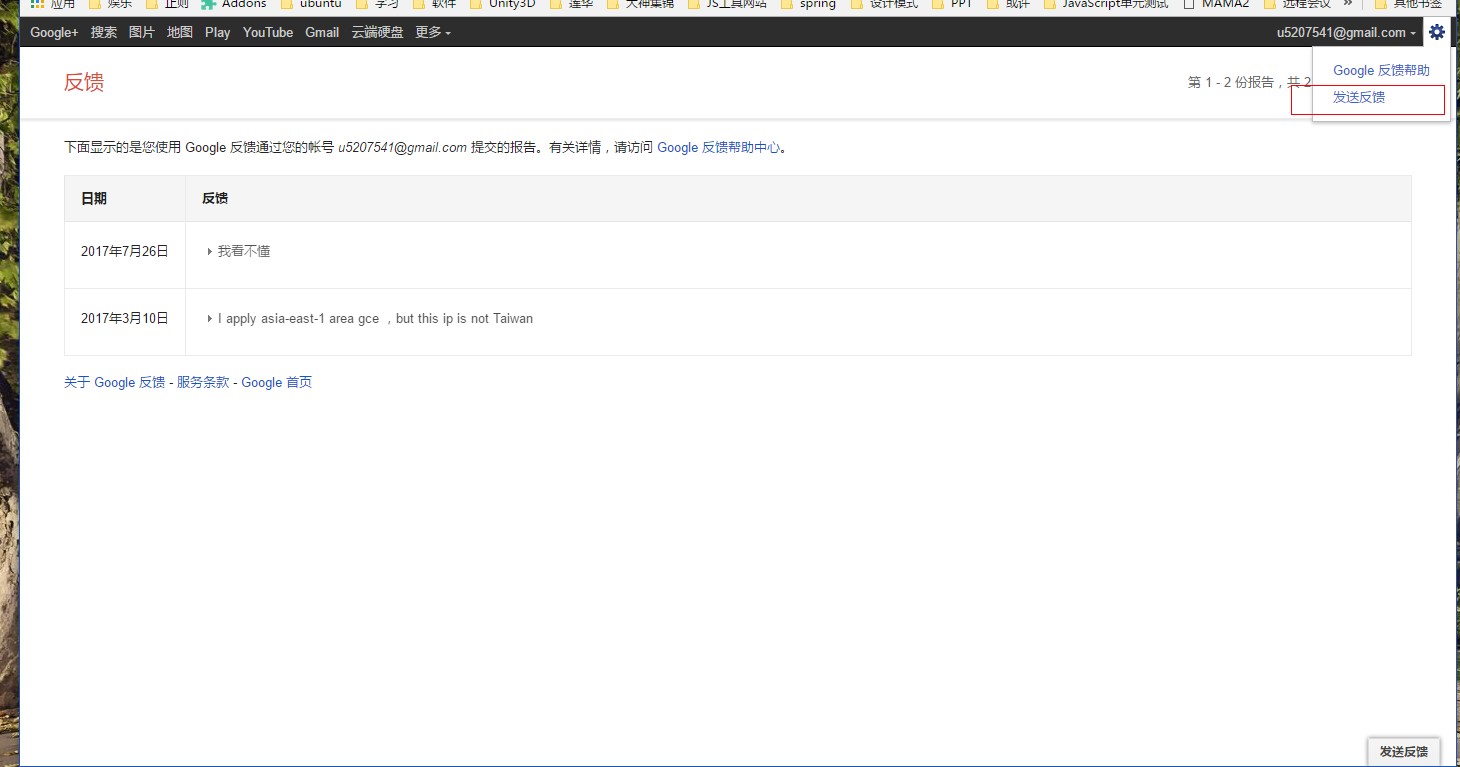
    投诉按钮

    ####弹出投诉按钮 投诉按钮

    ####最后这个效果 投诉按钮

    4 replies    2017-08-27 14:03:44 +08:00
    autoxbc
        1
    autoxbc  
       Aug 21, 2017
    gif 看不清,贴图最好贴原始尺寸的
    safilar
        2
    safilar  
    OP
       Aug 21, 2017
    不好意思,@autoxbc 我更新了下图片。
    autoxbc
        3
    autoxbc  
       Aug 21, 2017
    选中 dom 元素可以看这个问答,高票答案给了好几个项目
    https://stackoverflow.com/questions/742210/does-anyone-know-a-dom-inspector-Javascript-library-or-plugin

    后面从 dom 生成 png,大概先用 dom 生成 svg,然后画到 canvas 里,最后输出 png
    http://blog.csdn.net/jaylongli/article/details/50216553
    http://www.jianshu.com/p/092496e772d4
    https://juejin.im/entry/58b91491570c35006c4f7fdf

    从 google 的压缩代码里,只翻出一个 canvg 的项目说明,是其中一步的工具。
    flowfire
        4
    flowfire  
       Aug 27, 2017
    {
    let theShadow = document.createElement("div");
    theShadow.style.pointerEvents = "none";
    theShadow.style.position = "fixed";
    theShadow.style.top = "0px";
    theShadow.style.left = "0px";
    theShadow.style.right = "0px";
    theShadow.style.bottom = "0px";
    theShadow.style.background = "rgba(0,0,0,.2)";
    document.body.appendChild(theShadow);
    document.addEventListener("mouseover", e => {
    let dom = e.target;
    let position = dom.getBoundingClientRect();
    let X = position.left;
    let Y = position.top;
    let width = position.width;
    let height = position.height;
    let chosen = dom.cloneNode();
    chosen.innerHTML = dom.innerHTML;
    Array.prototype.forEach.call(theShadow.childNode, dom => dom.remove());
    chosen.style.position = "fixed";
    chosen.style.top = Y + "px";
    chosen.style.left = X + "px";
    chosen.style.width = width + "px";
    chosen.style.height = height + "px";
    chosen.style.border = "solid 2px yellow";
    chosen.style.background = "#FFF";
    theShadow.appendChild(chosen);

    });
    }

    一个简单的 demo,还有挺多 bug,但是大概思路就是这样的。
    About     Help     Advertise     Blog     API     FAQ     Solana     897 Online   Highest 6679       Select Language
    创意工作者们的社区
    World is powered by solitude
    VERSION: 3.9.8.5 32ms UTC 22:23 PVG 06:23 LAX 15:23 JFK 18:23
    Do have faith in what you're doing.
    ubao msn snddm index pchome yahoo rakuten mypaper meadowduck bidyahoo youbao zxmzxm asda bnvcg cvbfg dfscv mmhjk xxddc yybgb zznbn ccubao uaitu acv GXCV ET GDG YH FG BCVB FJFH CBRE CBC GDG ET54 WRWR RWER WREW WRWER RWER SDG EW SF DSFSF fbbs ubao fhd dfg ewr dg df ewwr ewwr et ruyut utut dfg fgd gdfgt etg dfgt dfgd ert4 gd fgg wr 235 wer3 we vsdf sdf gdf ert xcv sdf rwer hfd dfg cvb rwf afb dfh jgh bmn lgh rty gfds cxv xcv xcs vdas fdf fgd cv sdf tert sdf sdf sdf sdf sdf sdf sdf sdf sdf sdf sdf sdf sdf sdf sdf sdf sdf sdf sdf sdf sdf sdf sdf sdf sdf sdf sdf sdf sdf sdf sdf sdf sdf sdf sdf sdf sdf sdf sdf sdf shasha9178 shasha9178 shasha9178 shasha9178 shasha9178 liflif2 liflif2 liflif2 liflif2 liflif2 liblib3 liblib3 liblib3 liblib3 liblib3 zhazha444 zhazha444 zhazha444 zhazha444 zhazha444 dende5 dende denden denden2 denden21 fenfen9 fenf619 fen619 fenfe9 fe619 sdf sdf sdf sdf sdf zhazh90 zhazh0 zhaa50 zha90 zh590 zho zhoz zhozh zhozho zhozho2 lislis lls95 lili95 lils5 liss9 sdf0ty987 sdft876 sdft9876 sdf09876 sd0t9876 sdf0ty98 sdf0976 sdf0ty986 sdf0ty96 sdf0t76 sdf0876 df0ty98 sf0t876 sd0ty76 sdy76 sdf76 sdf0t76 sdf0ty9 sdf0ty98 sdf0ty987 sdf0ty98 sdf6676 sdf876 sd876 sd876 sdf6 sdf6 sdf9876 sdf0t sdf06 sdf0ty9776 sdf0ty9776 sdf0ty76 sdf8876 sdf0t sd6 sdf06 s688876 sd688 sdf86